

Overview
Workbooks are analogous to a database, and like a database, they are configured with a type-strict schema. A Workbook replaces the spreadsheet template you may share with your users today when requesting data during the data collection phase of customer onboarding or other file-based data exchange processes. Unlike a spreadsheet, it’s designed to allow your team and users to validate, correct, and import data with real-time feedback.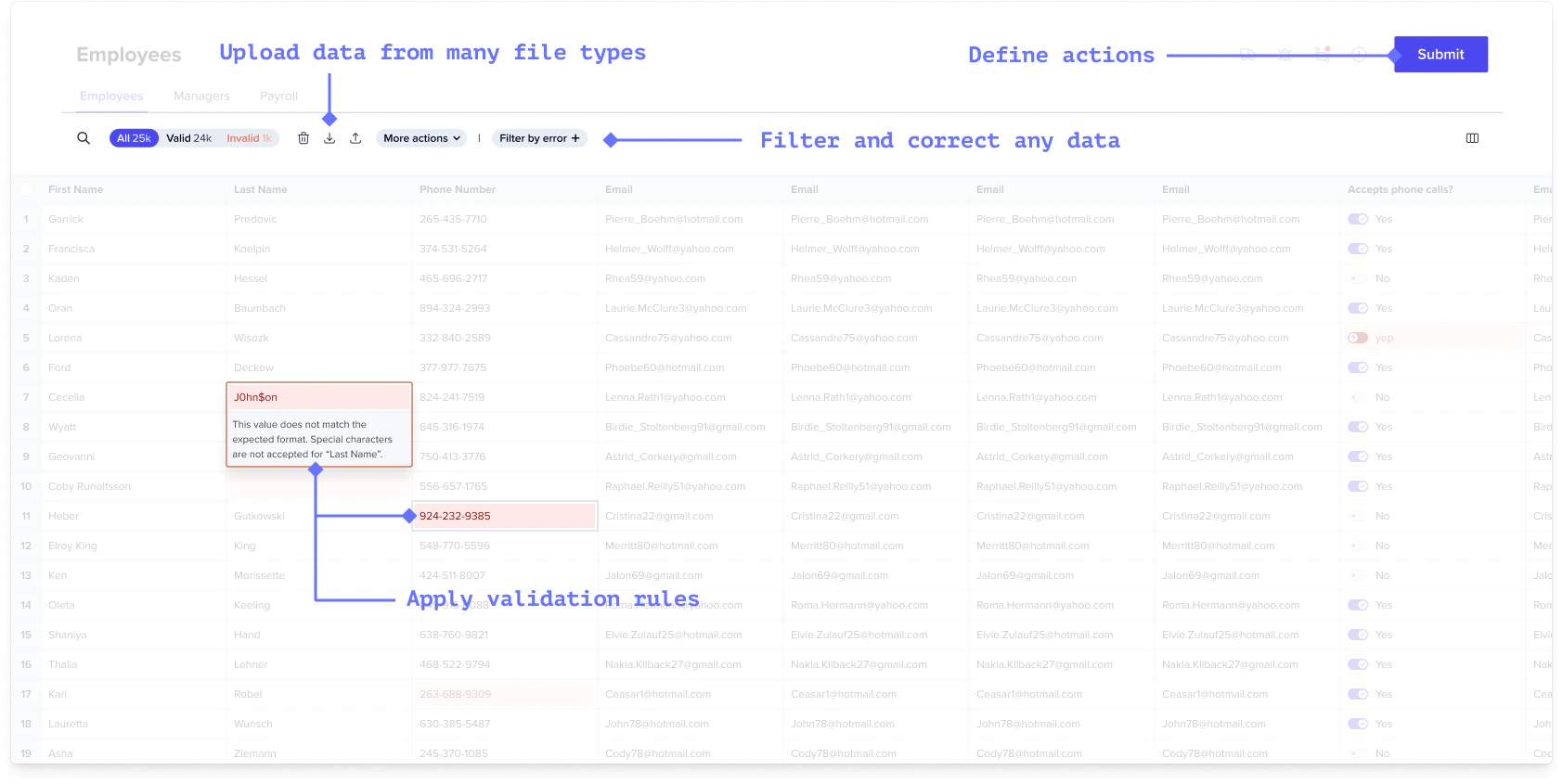
- Accept data from many file types beyond CSVs. (And you can write your own file extractors if you can’t find a plugin.)
- Automatically apply any validation rules a developer has previously defined.
- Provide end users the ability to add, remove, review, filter, and correct any data imported into a Workbook.
- Define, in code, at least one primary Action that submits the reviewed data to a destination API, database, or workflow step of your choosing.
Anatomy
A Workbook is comprised of one or more plus any actions you want to take on those Sheets.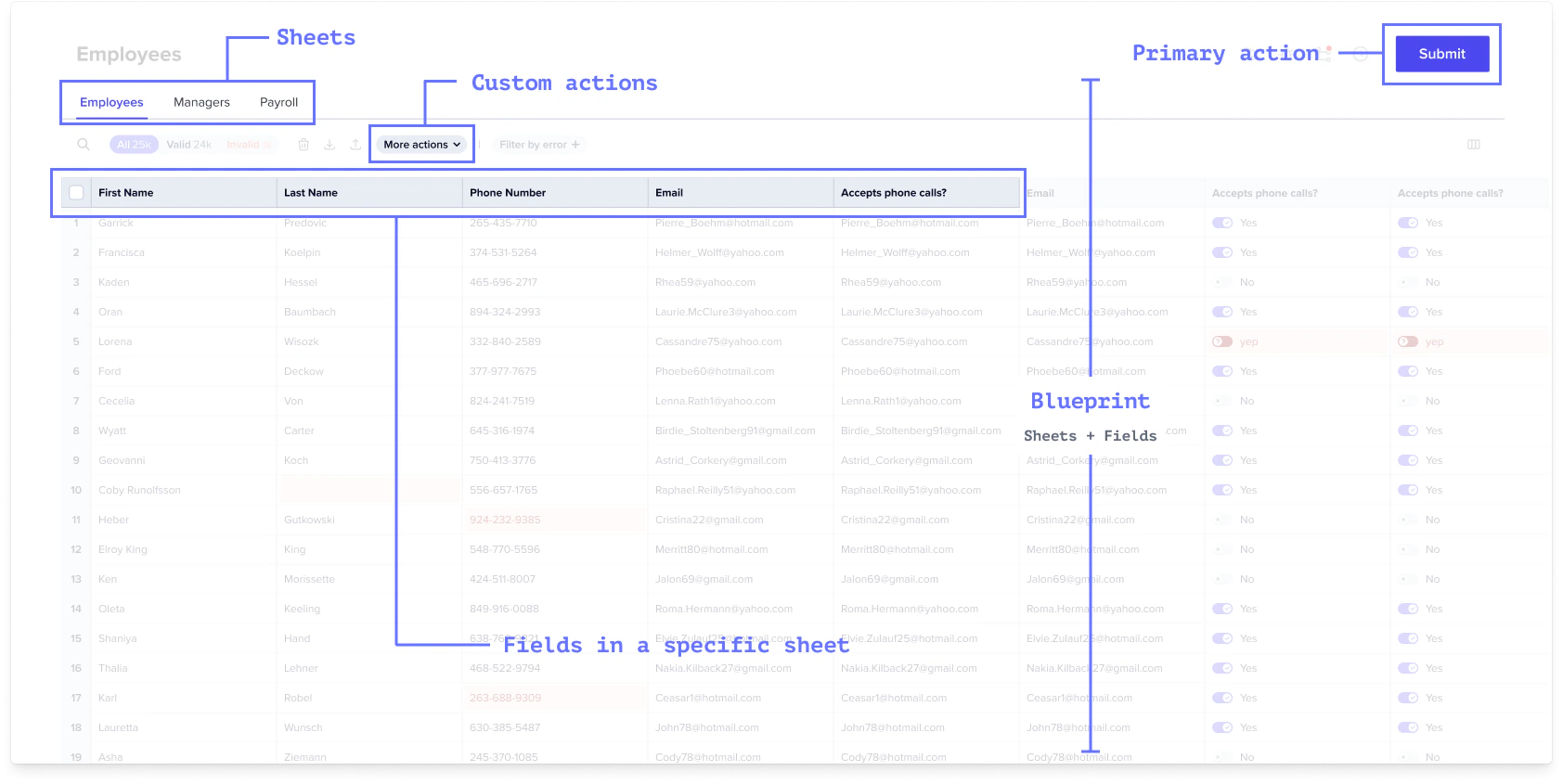
Reference
See API ReferenceSheets array
A schema contains Sheets. Like tables in a database or sheets in a spreadsheet,
Sheets isolate different data schemas.
Learn more about Blueprint
Fields array
Sheets contain
. Fields are defined properties of your schema (eg a first_name on a contact
sheet.)
Learn more about Blueprint
Actions array
Workbooks and Sheets can also contain Actions. Actions are developer-defined
operations or macros invoked by end users on selected data like Submit to API,
Download as PDF.
Learn more about Actions
Settings object
trackChanges: true: Disables actions on Sheet and Workbook when there is a
commit that has not been completed (often when Hooks are running)
noMappingRedirect: true: When the user drags a file into a Sheet in this
Workbook, usually the user is redirected to the Mapping step. This setting
prevents that redirect. This is especially useful when you are using the
automap plugin.
Learn more about Blueprint
Labels array
To have a workbook appear first in the sidebar, give it the label pinned (it
will even have a pin icon!). You can also add other custom labels to your
workbooks as needed.